Application Edit History
Application Edit History lets you view a timeline of changes made to an application record, inspect the details of each edit, and revert changes when needed.
Accessing Edit History
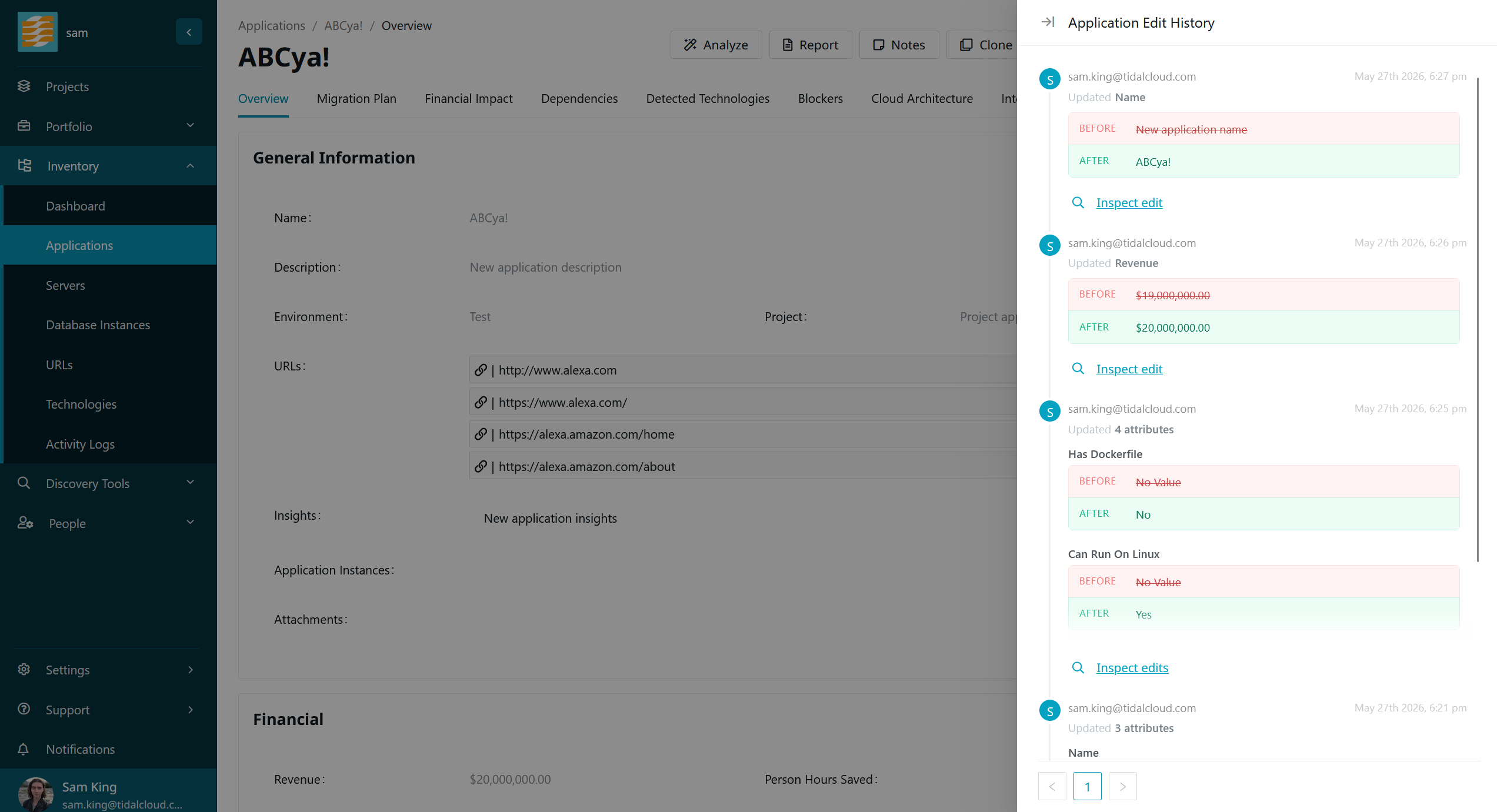
To view the edit history for an application, open the application record and click the History button in the toolbar. This opens a drawer with a timeline of edits made to the record.
Viewing Edits
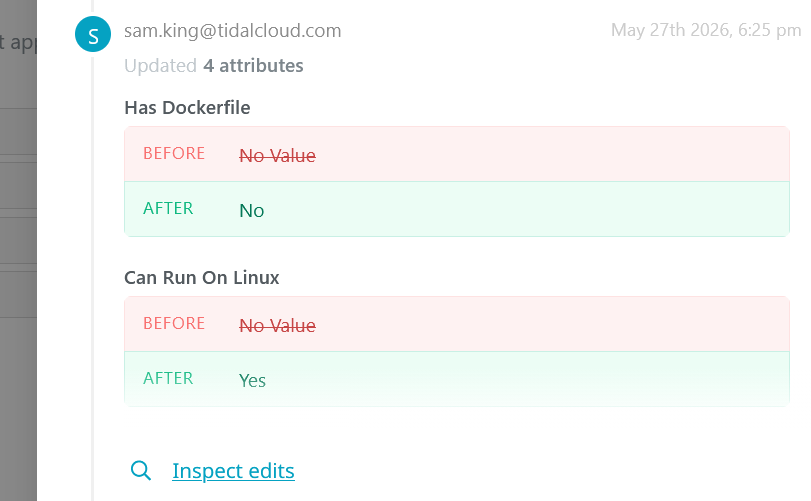
The history drawer displays edits in reverse chronological order. Each entry shows who made the change and when. If a single edit modified multiple attributes, a summary is shown with a subsection of changes.
Inspecting an Edit
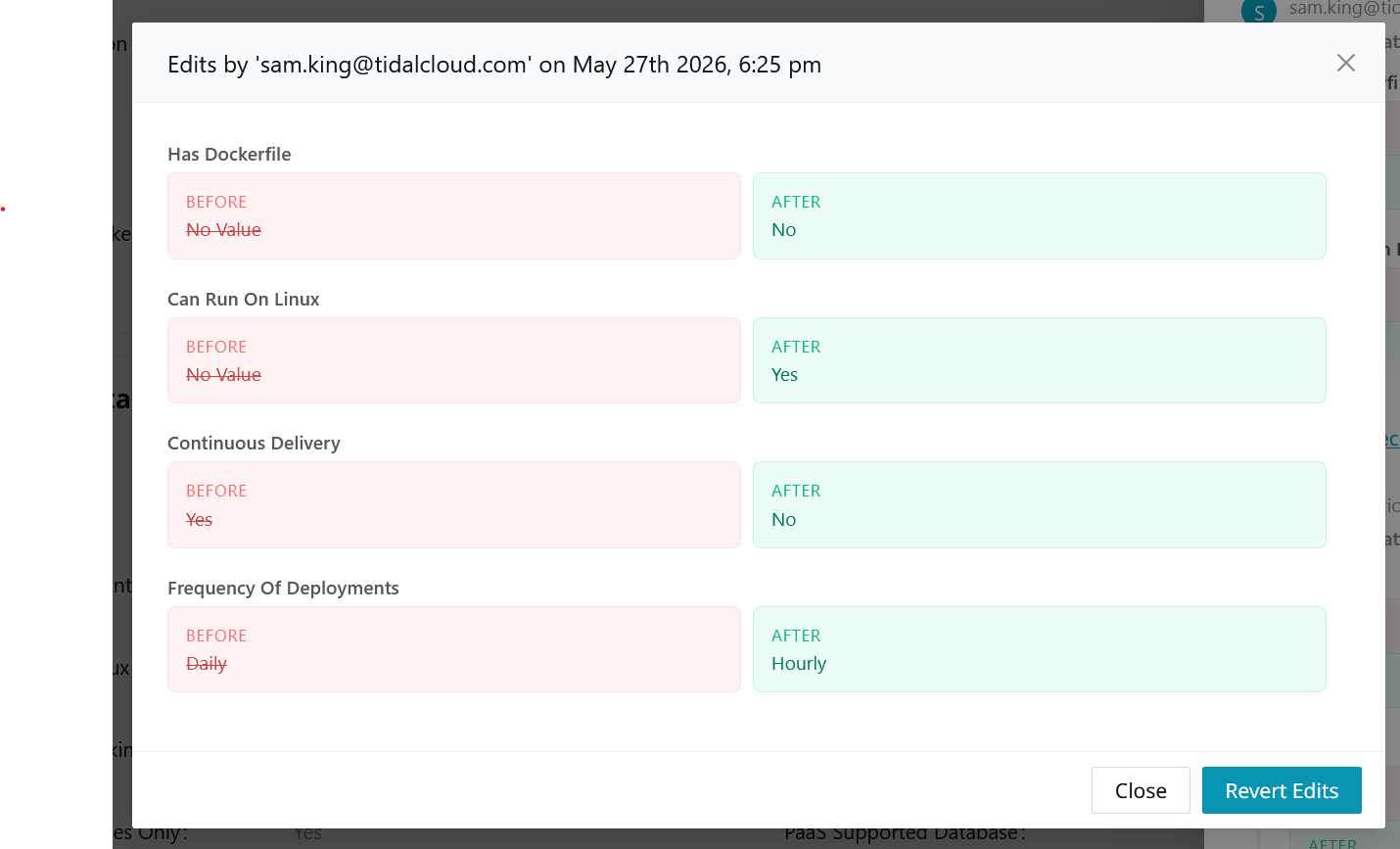
To see the full details of an edit, click Inspect Edit. This opens an inspection modal with a side-by-side comparison of all fields which changed as a result of that edit action.
Reverting a Change
From the inspection modal, click Revert Edits to undo the edit action. The fields which were changed will be restored to their prior values, shown as Before in the inspection modal.
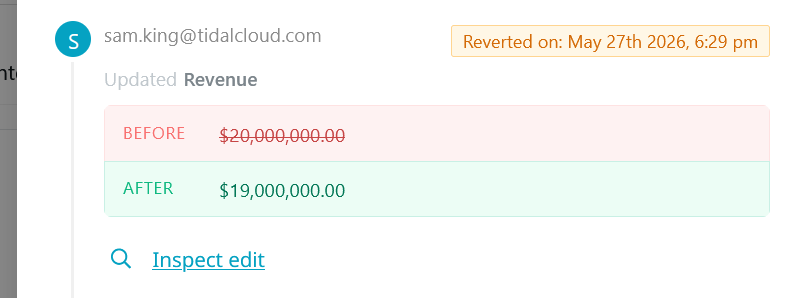
Edits that are the result of a revert are marked with a Reverted on badge in the history timeline, showing when the revert took place.
Limitations
Application Edit History only shows edits which can be reverted. Currently, certain record attributes and the relationships between records are not included in this feature.