Creating Custom Fields
Tidal Accelerator enables you to capture unique business data across your portfolio by adding custom fields to any record, including servers, applications, and database instances. These custom data points allow you to track the specific metrics your organization needs to make informed migration decisions.
Creating Custom Fields for your Application, Server, or Database Instances
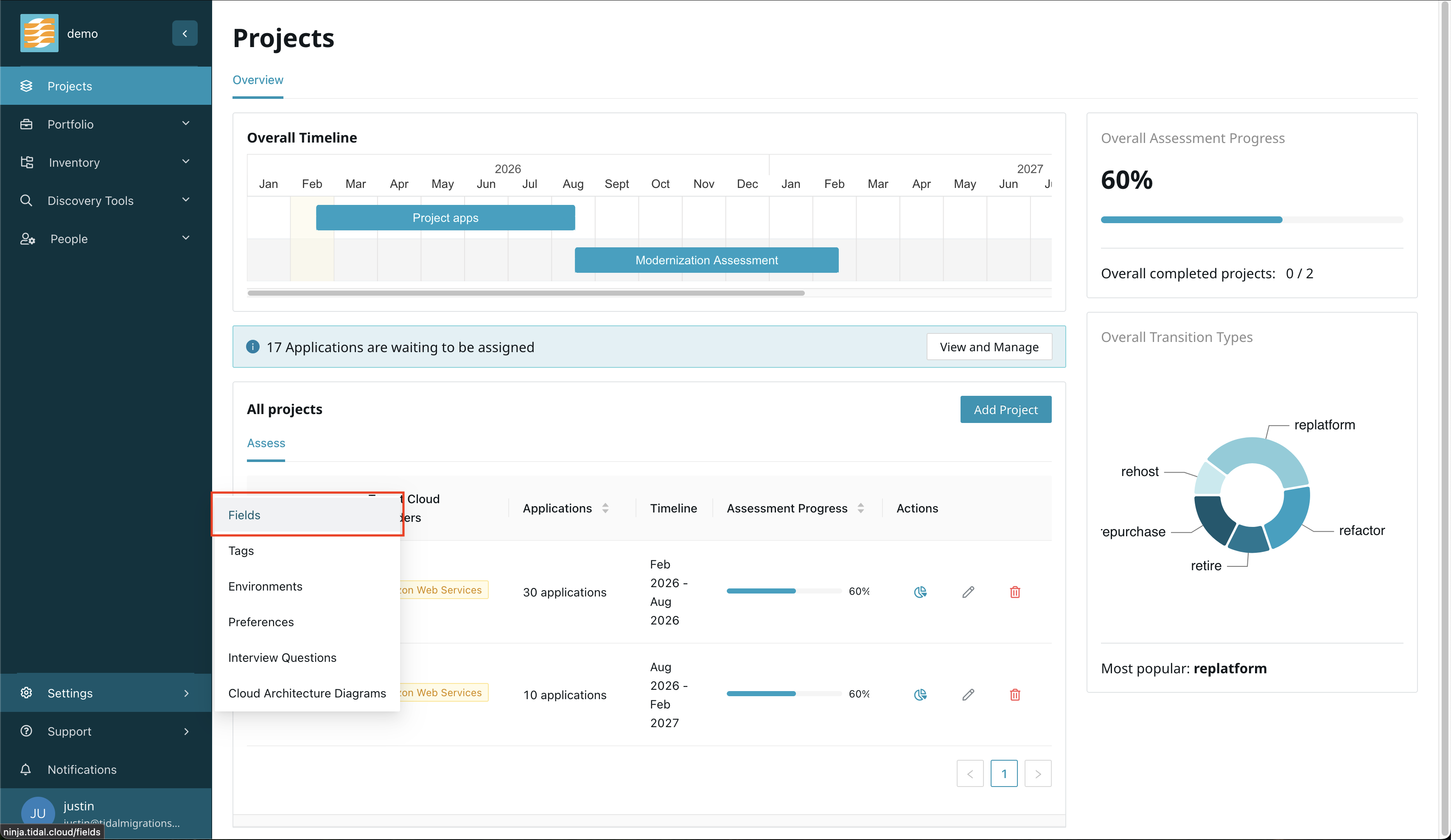
To create a custom field, navigate to the Settings menu and select the Fields section.
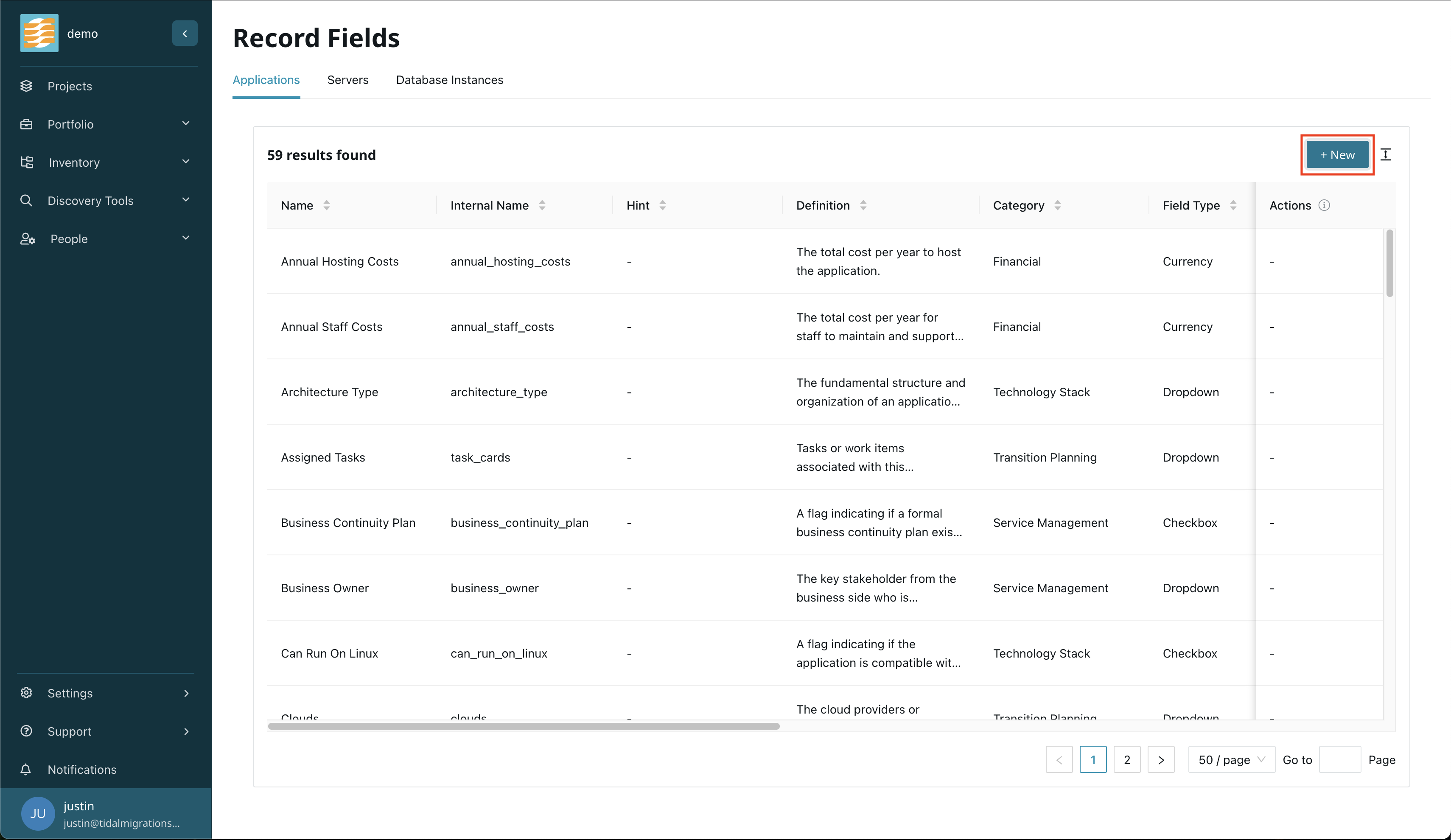
Click the New button.
In the form, fill in the required information for your custom field.
Required information is denoted by a red asterisk (*) next to the field label. Typically, the field name, internal name, and field type are required.
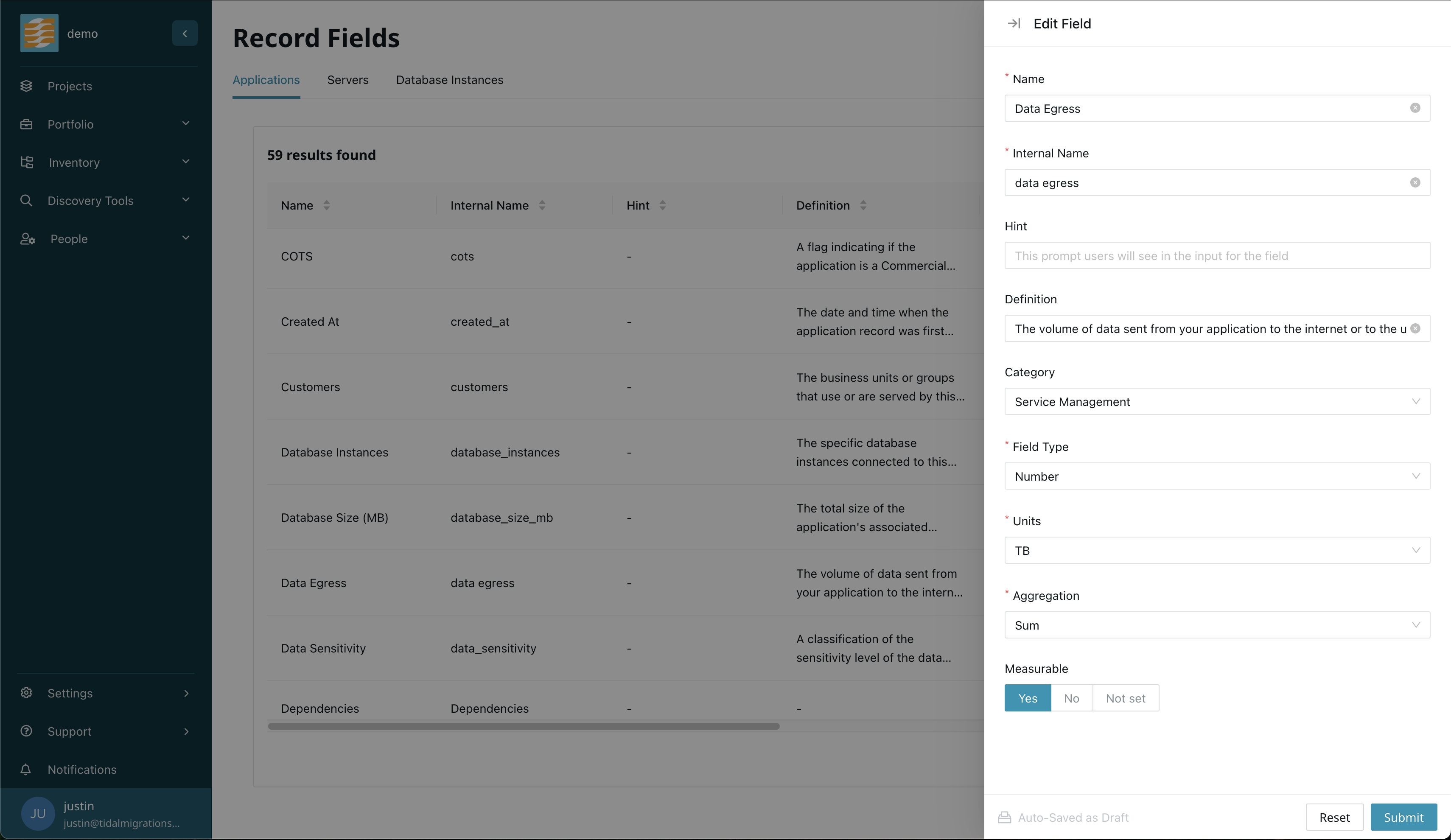
Once you have filled in the information, click Submit to create the custom field.
Field Record Attributes
When configuring a field record, the following attributes define how the field functions and appears within the application:
- Name: The display label for the field as seen by users in forms and tables.
- Internal Name: A unique, machine-readable identifier used by the API. This is typically auto-generated based on the Name but can be customized.
- Hint: A brief instruction or tip that appears in the interface to guide users when entering data into this field.
- Definition: A detailed description of the field’s purpose, ensuring that all users understand the specific data required.
-
Category: The logical group to which the field belongs. This controls where an item is laid out on the application, server, or database instance views. The options vary by record type.
Applications:
- Service Management
- Technology Stack
- Source Code Readiness
- Financial
- Transition Planning
- Other
Servers:
- Service Management
- Technology Stack
- Financial
- Transition Planning
- Networking
- Other
Database Instances:
- Service Management
- Technology Stack
- Configuration
- Usage
- Financial
- Transition Planning
- Other
- Field Type: Determines the format of data permitted in the field. The options are:
- Text
- Number
- Checkbox
- Dropdown
- Multiline
- Date
- Currency
- Multiselect
- Units: For numeric fields only. Specifies the unit of measurement associated with the value.
- Aggregation: Defines how the field values are summarized in table views, such as calculating a sum, average, or median.